Backend Class 2.
Love Babber (BD-2)
Send Data in DB and see folder structure.
Some steps of creating a folder.
Create a folder on the desktop
open it into in VS code
Open Vs code terminal
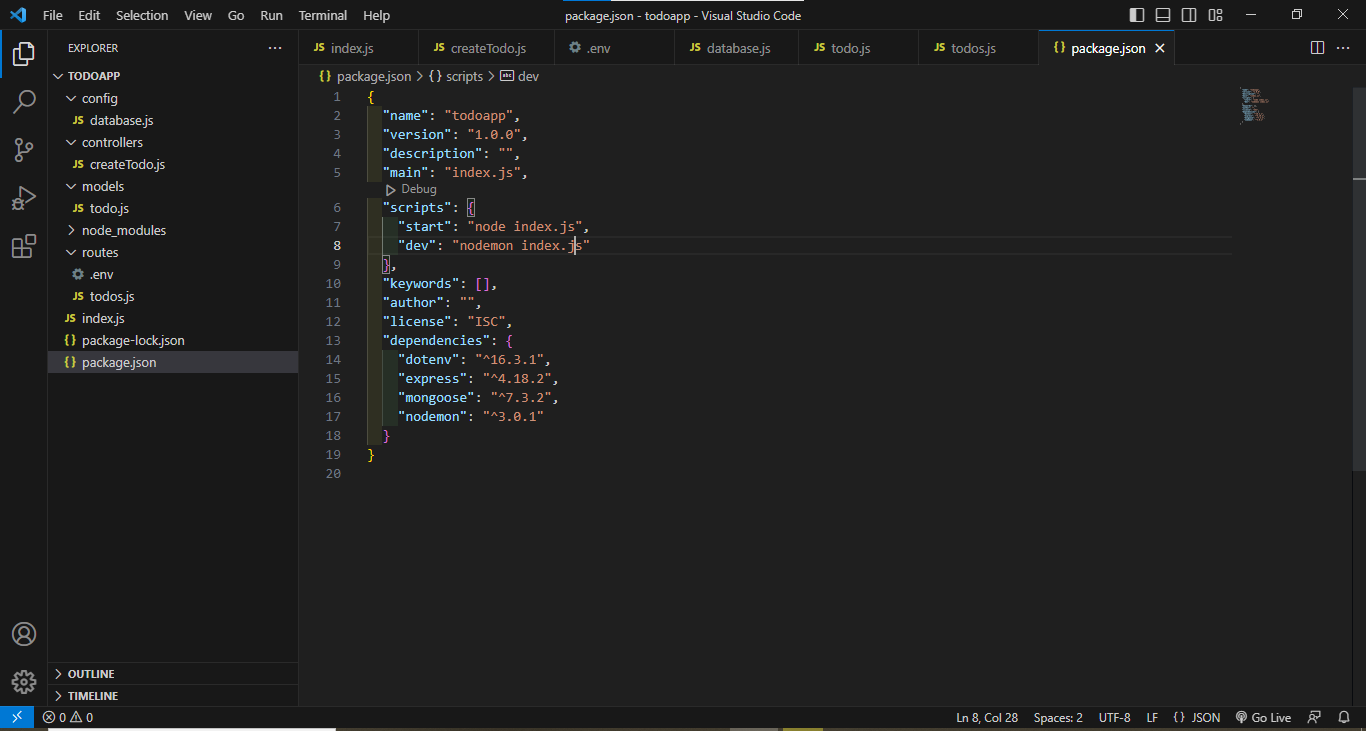
Initialization of the packege.json file using
npm init -ycommandCreate a file name
index.jsNow install express js using
npm i expressNow install Nodemon using
npm i nodemonNow install env files to set the environment using
npm i dotenvCreate 4 different folders (routes, config, controller, models)
Create a
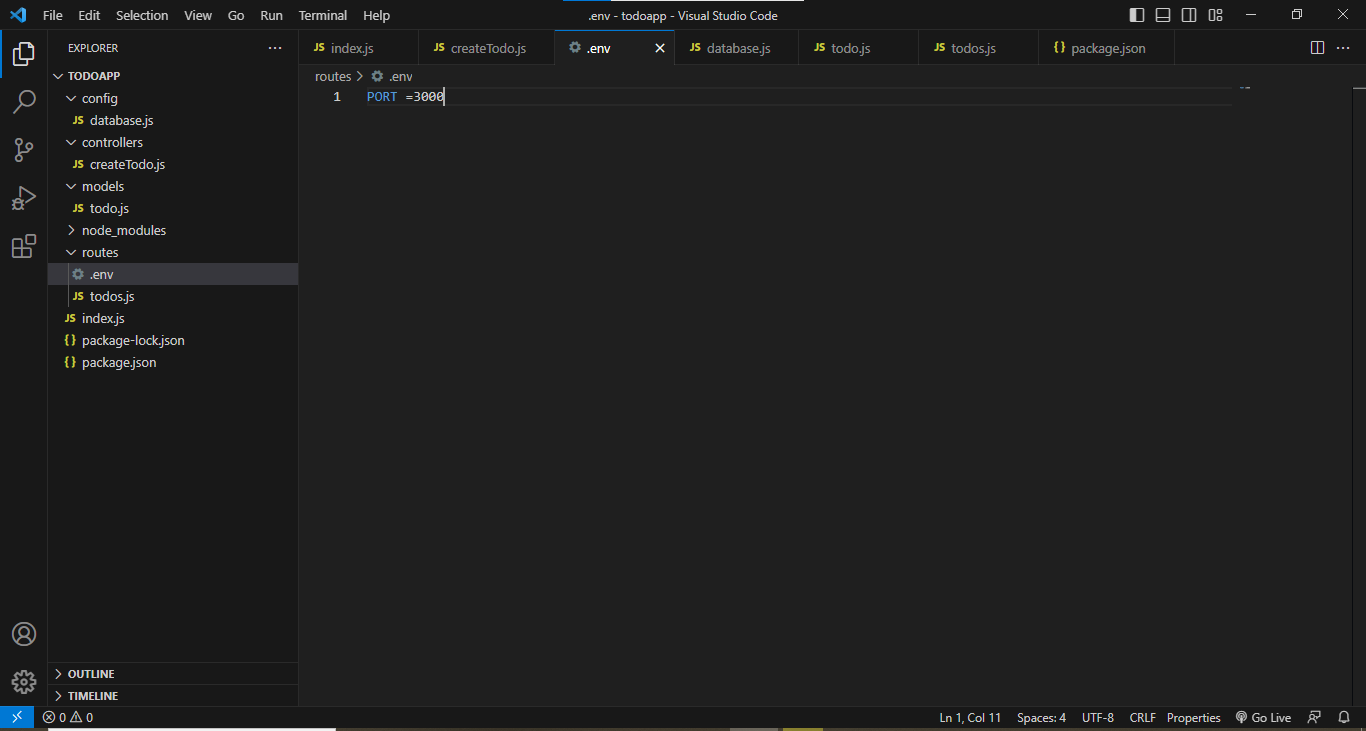
.envfile in the routes folderCreate a
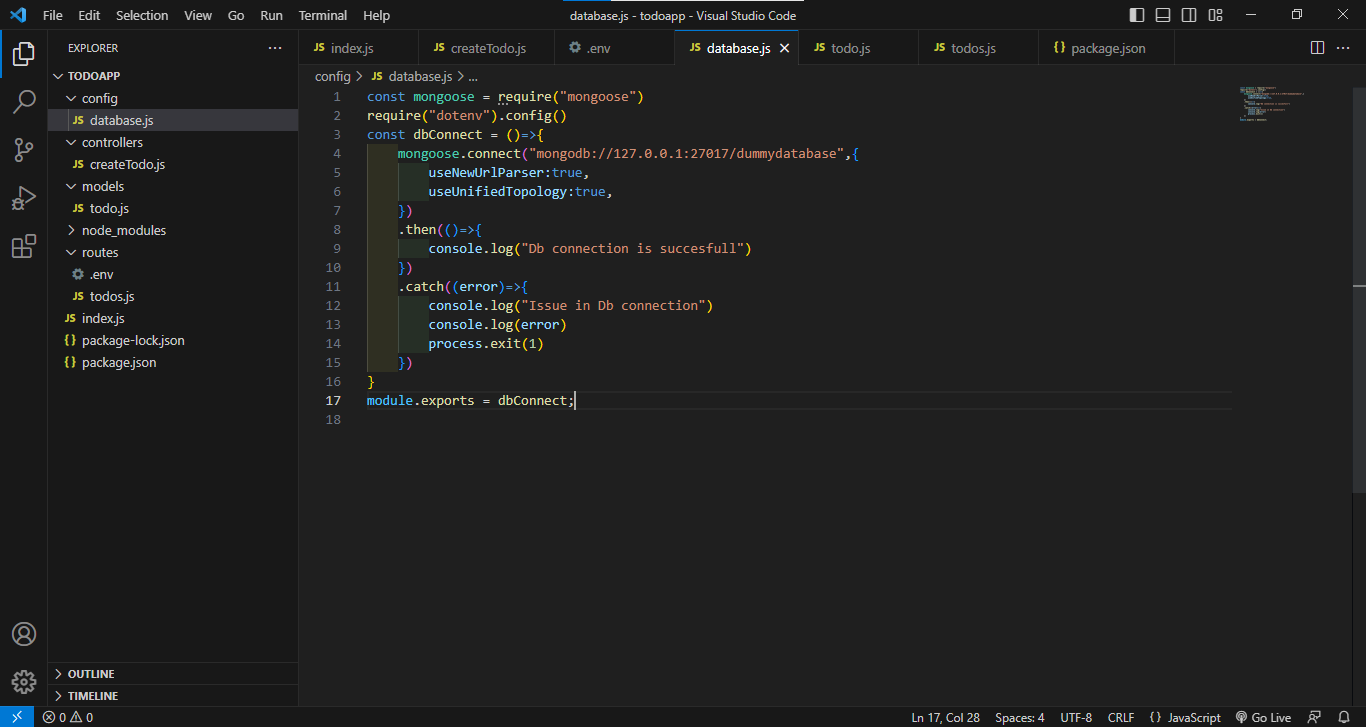
database.jsfile in the config folder to connect our DB to the serverCreate a
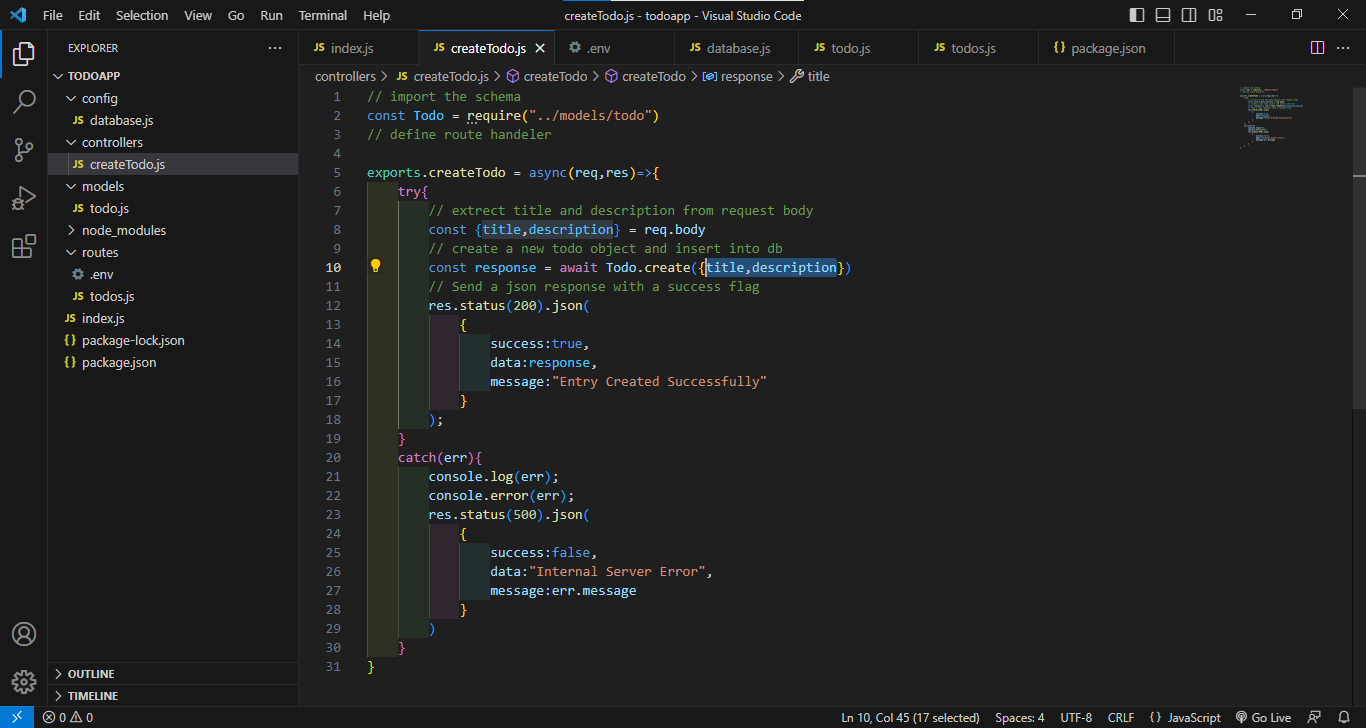
createTodo.jsfile in the controller folder to control the dataCreate a
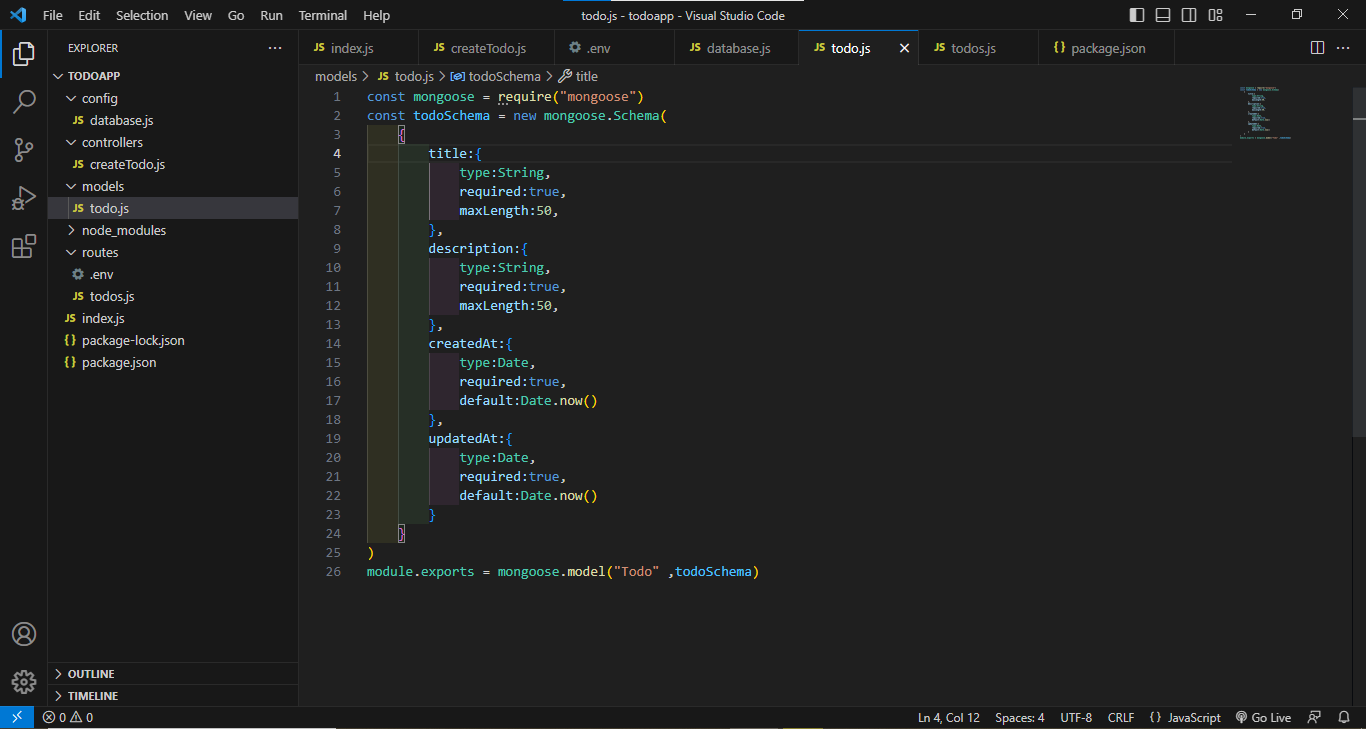
todo.jsfile in the models' folder to create a DB SchemaCreate a
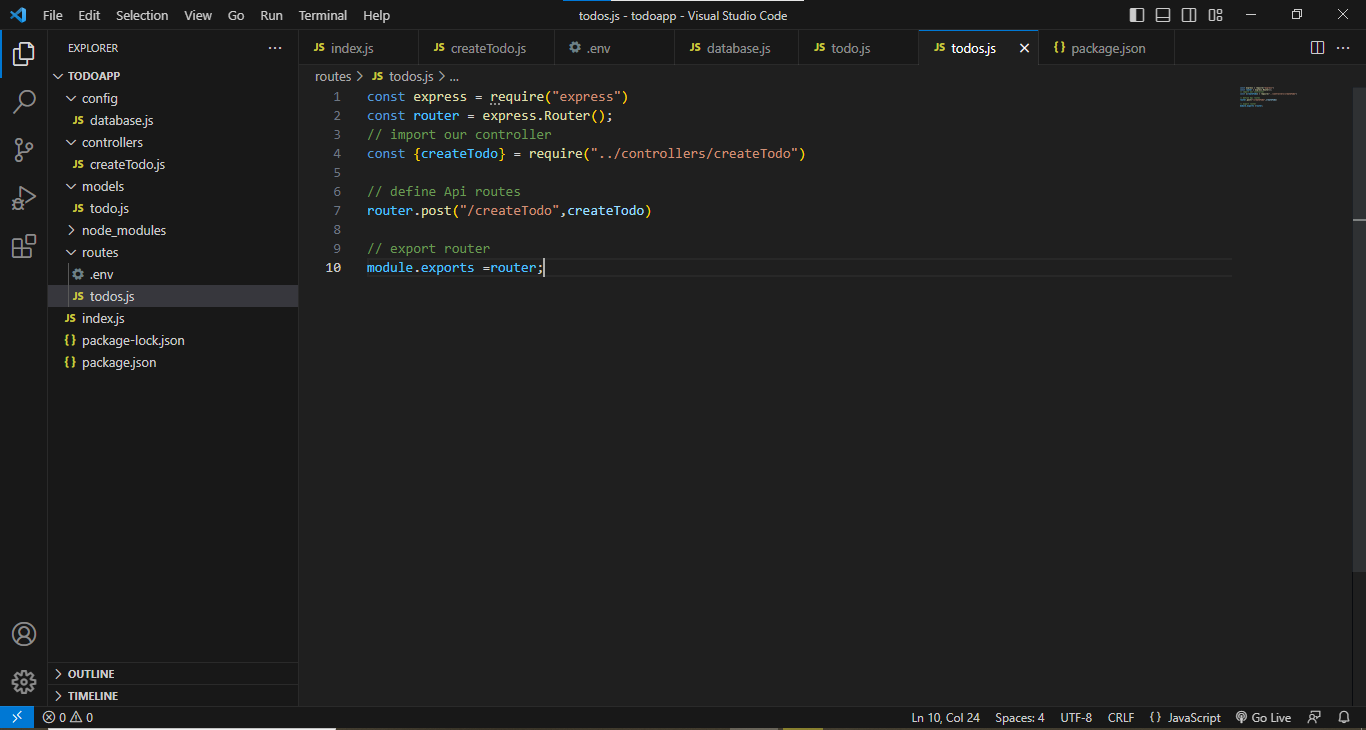
todos.jsfile in the routes folder to define the API Routes
See the code example to connect the db to the server.
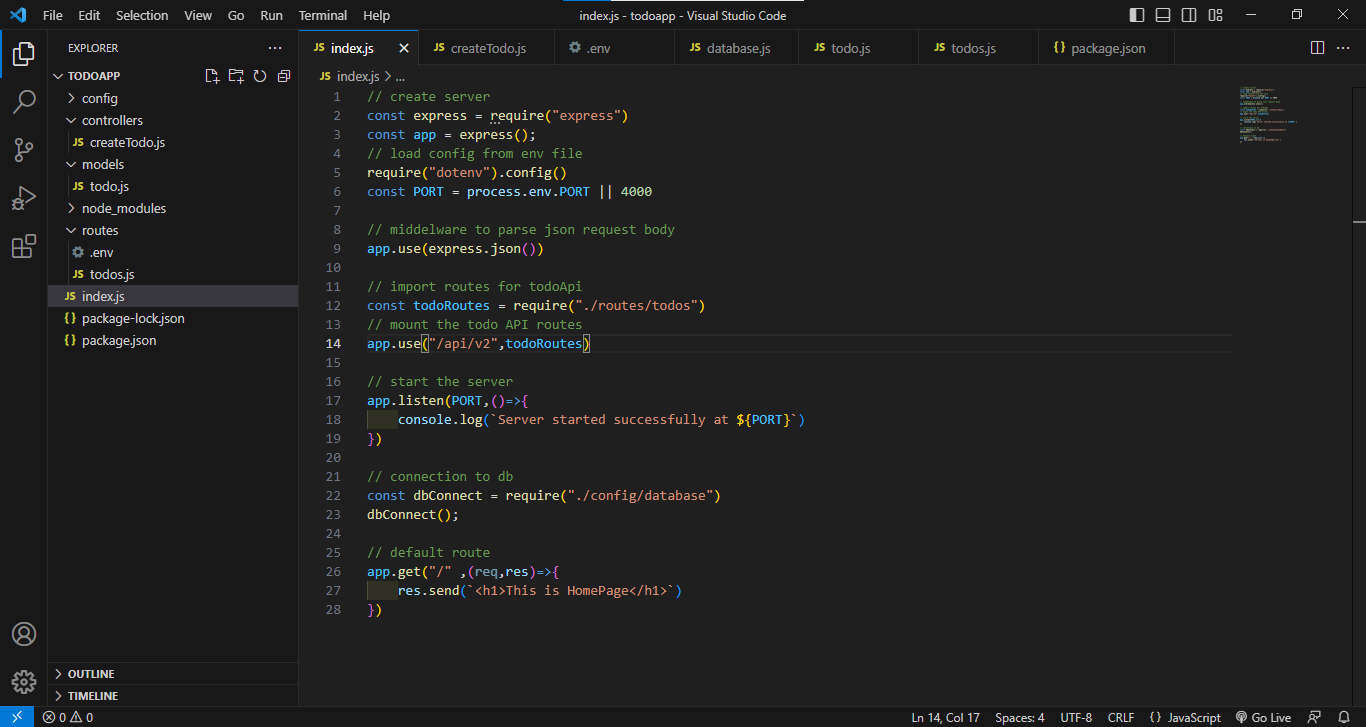
Index.js file code
database.js file code (Connect to DB)
todo.js file code (define Schema)
todos.js file (Creating routes)
createTodo.js (Doing funclatity)
.env file
Package.json file